


- In the setting page, you will see the “General Configuration”.
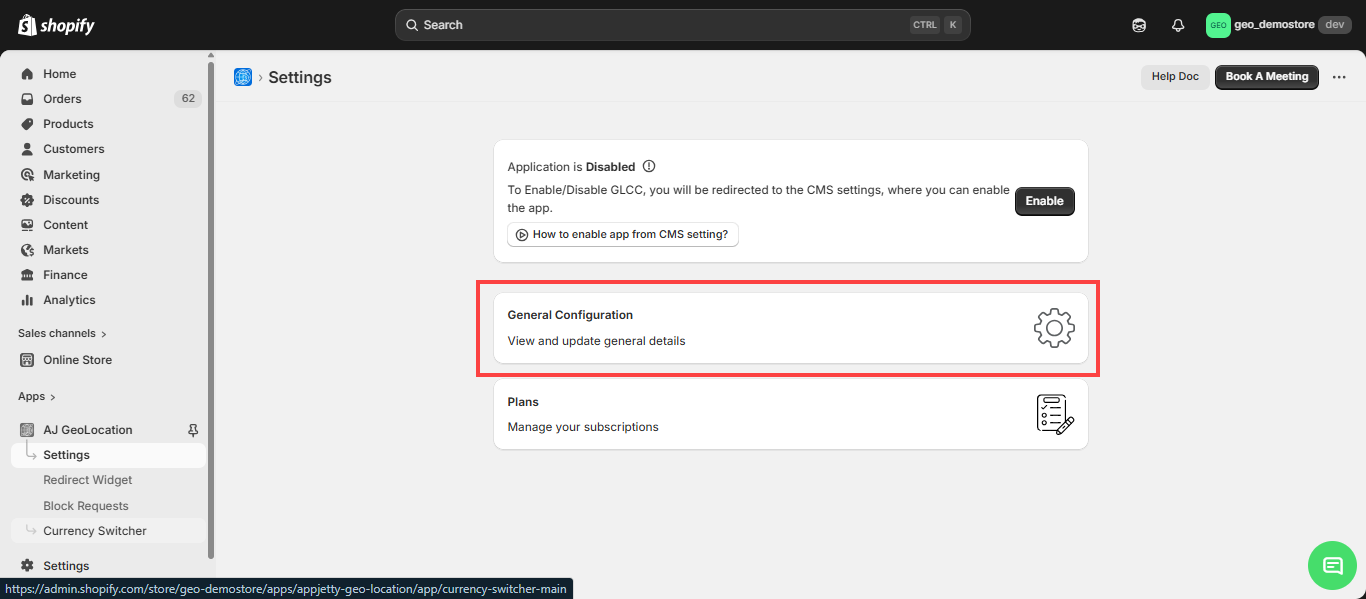
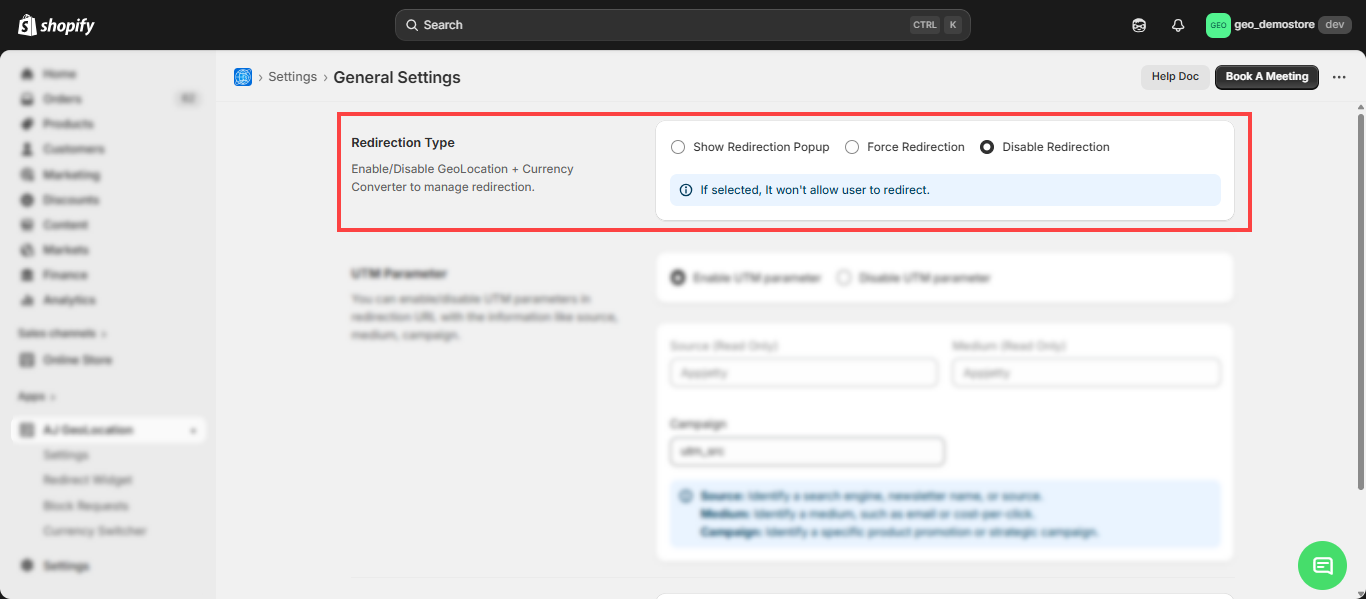
- Control user redirection based on geographical location and currency preferences. Options include showing popups, forcing redirection, or turning off geo redirection.
- Show Popup: Enable this feature to display a popup for redirection, allowing users to accept or decline.
- Force Redirection: Automatically redirect users from specific countries or states to a designated store URL.
- Disable Geo Redirection: Prevents any automatic redirection based on the user’s location.
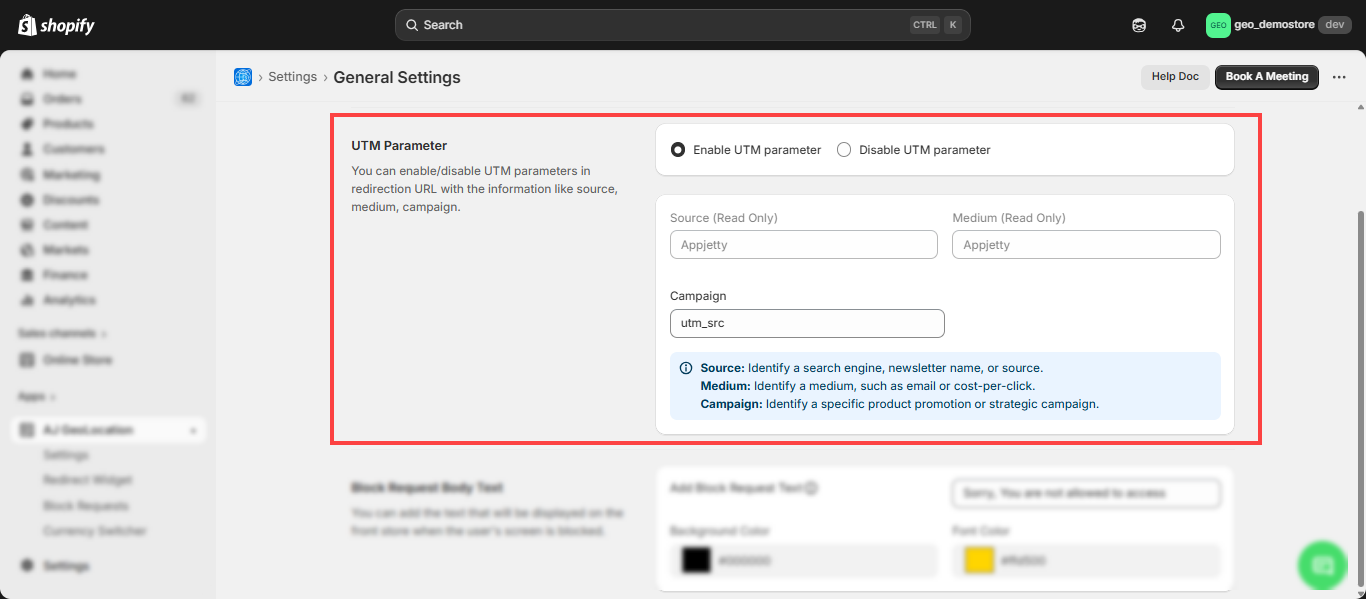
UTM Parameter: To Manage UTM parameters in redirection URLs to track information such as source, medium, and campaign.
- Enable UTM Parameter: Activate UTM parameters in redirection URLs.
- Source: Identify a search engine, newsletter name, or source.
- Medium: Identify a medium, such as email or cost-per-click.
- Campaign: Identify a specific product promotion or strategic campaign.
- Disable UTM Parameter: Deactivate UTM parameters in redirection URLs
- Disable UTM Parameter: Deactivate UTM parameters in redirection URLs
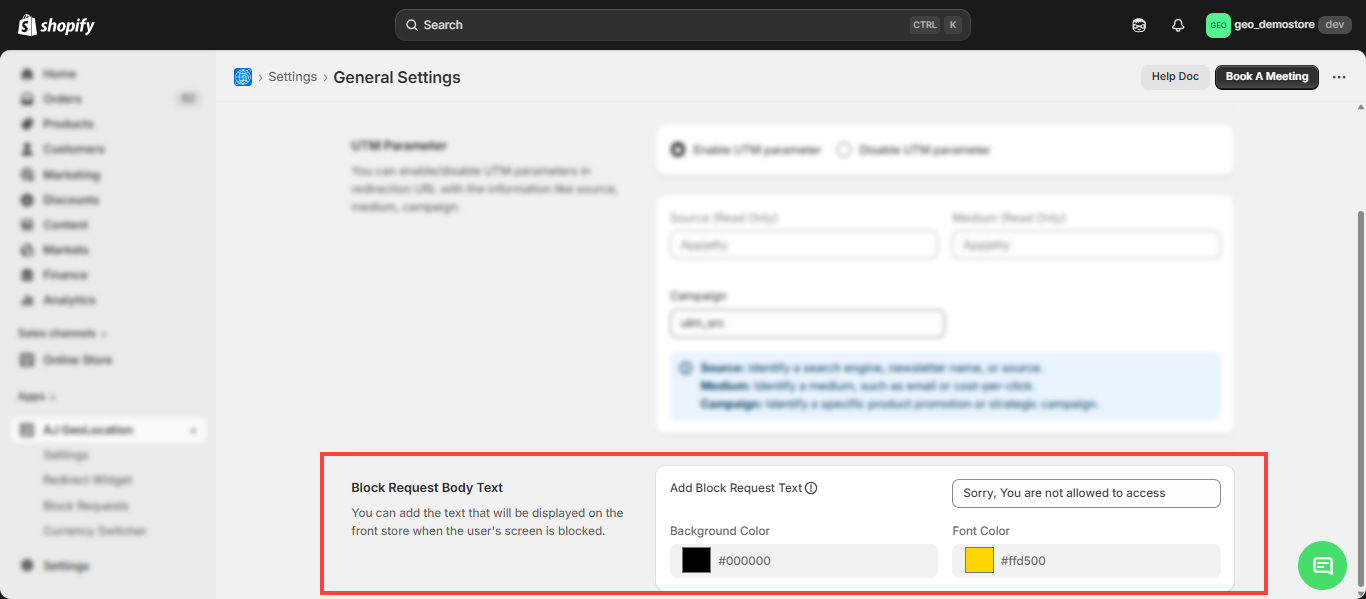
- Block Request Body Text: Specify the message displayed on the block screen.
- Add Block Request Text: Specify the message to display when the screen is blocked in the front store.
Note: The app works correctly even when customers use a VPN.